
THE PLUGIN
CAMERA MANAGER
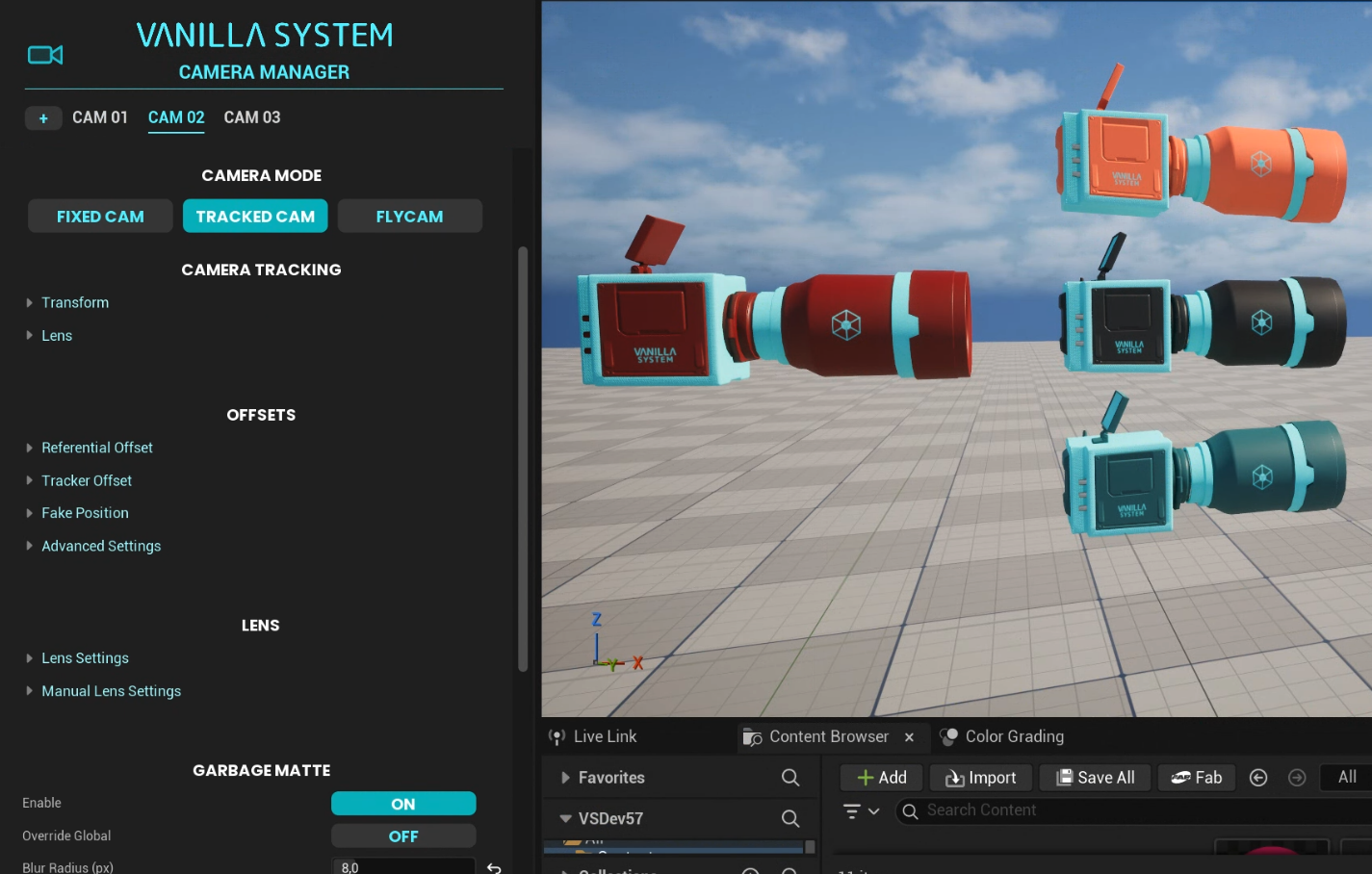
Choose how each camera behaves according to the production between:
fixed cam, tracked cam or flycam.
CAM MODES
Synchronize the virtual camera with the movement of a real camera with a tracker.
TRACKED CAM
Position the virtual camera, in a fixed position, freely without using a tracking system.
FIXED CAM
Create virtual camera movements of a camera fixed in the studio with relighting, shadows and reflections.
FLYCAM
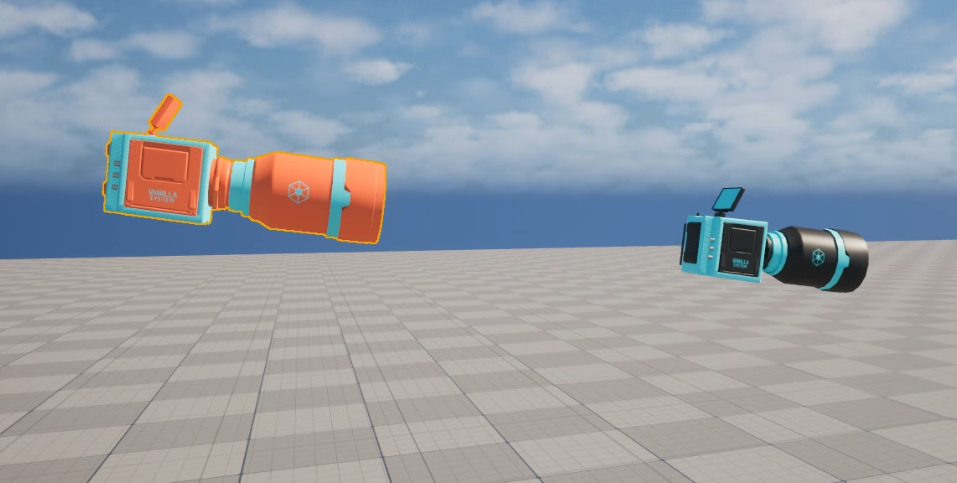
Extend a tracked camera with an additional crane-like virtual movement along the camera axis, creating a pullback effect movement adding virtual shadows and reflections.
HYBRID CAM
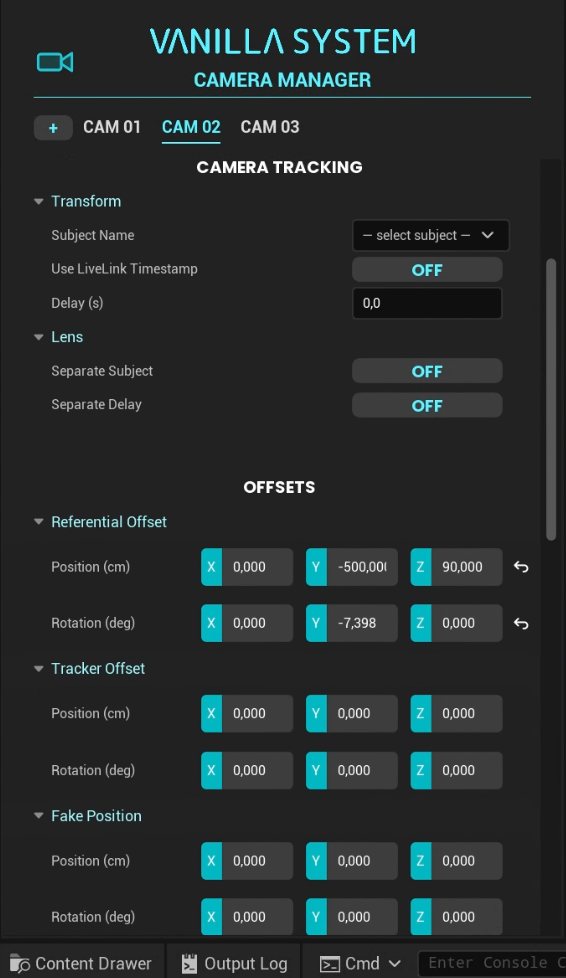
Receive tracking through FreeD or OpenTrackIO and use different tracking sources for camera movement and lens data when needed. Set independent delays for camera tracking and lens zoom and focus.
TRACKING
STUDIO & TRACKER OFFSETS
Use studio offset to match a known real-world reference point with its corresponding virtual position, and tracker offset to compensate the tracker position and the sensor of the camera.
Virtually reframe one camera without moving the physical setup or changing its tracking data, while preserving its offsets and garbage matte.
FAKE POSITION
LENS
LENS MANAGEMENT
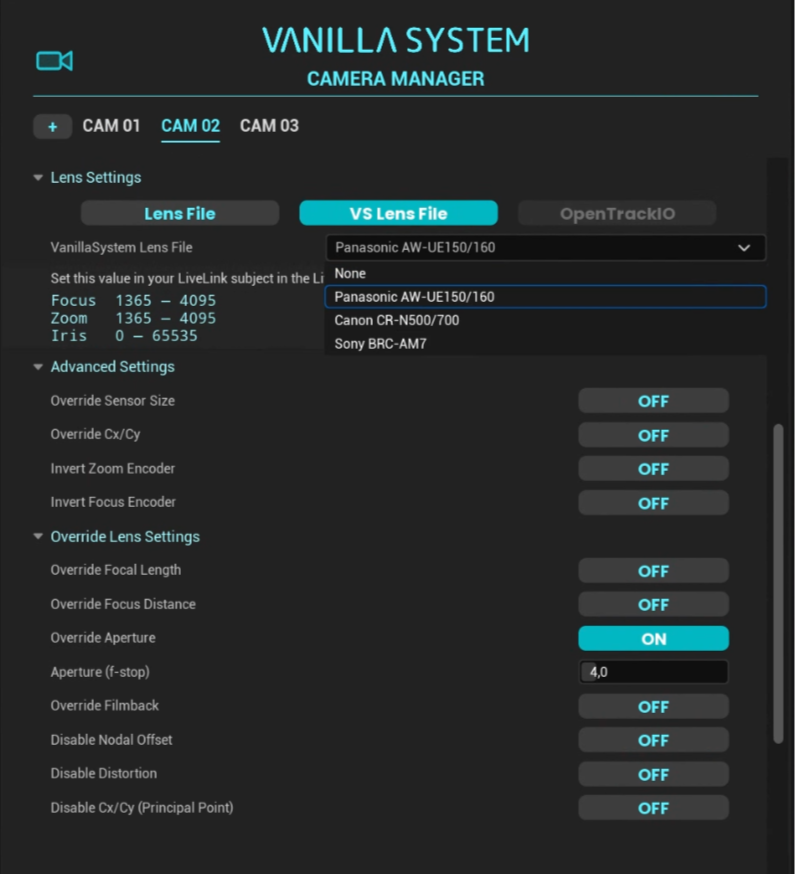
Load your own lens calibration or receive tracking with embedded lens calibration through OpenTrackIO, with the option to override individual lens values and control virtual bokeh.
PRE-CALIBRATED PTZ LENSES
Use ready-to-use VSLens files, pre-calibrated by our team for supported PTZ cameras through partnerships with camera manufacturers and mapped across the full zoom range.
LENS CALIBRATION & LINEUP
We chose the best tools on the market instead of creating our own and provide dedicated support for Vanilla System so calibrate lenses with CalibFX and align cameras with Calib Lineup, available from our website through our partnership with MiraXYZ.
COMPOSITION
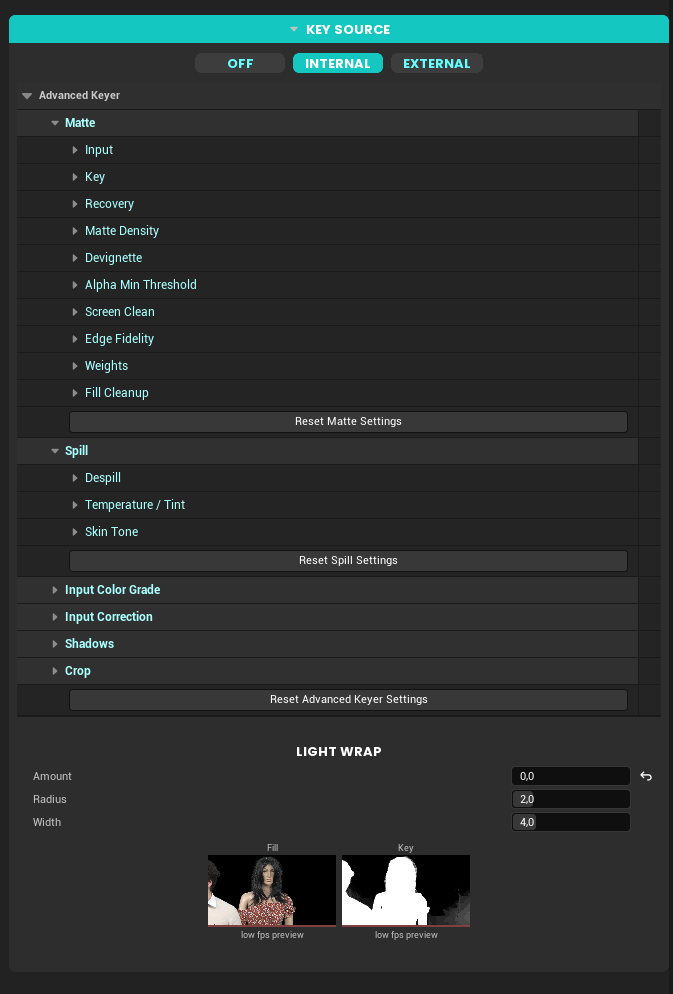
Create a clean, highly precise key directly inside Unreal Engine with Vanilla System’s advanced internal keyer, inspired by the industry’s leading hardware keyers and refined through years of hands-on experience. You can also use an external keyer independently for each camera.
KEYER
AUGMENTED REALITY
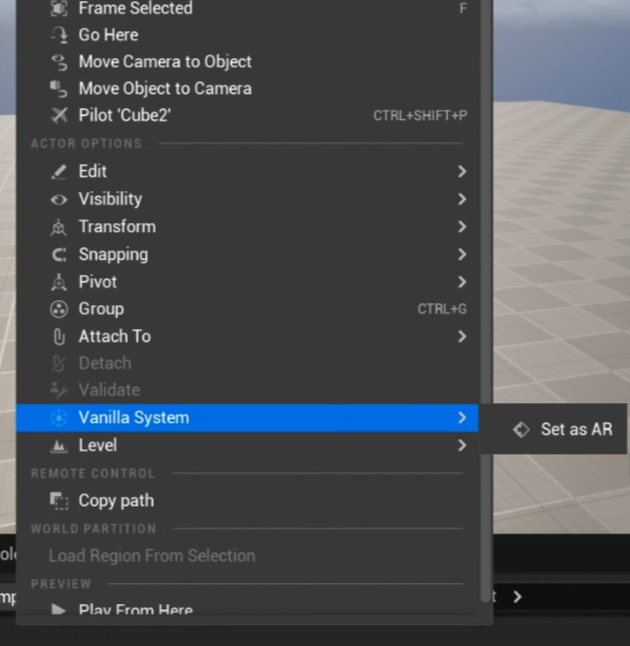
With per-camera control, place objects, graphics or any Unreal actor in front of the real camera composition with one click.

View every stage of the key: source, fill, key/matte and garbage matte. Use key check to preview the foreground against different background colors for easier analysis.
MONITOR
GLOBAL SETTINGS
WORLD POSITION OFFSET
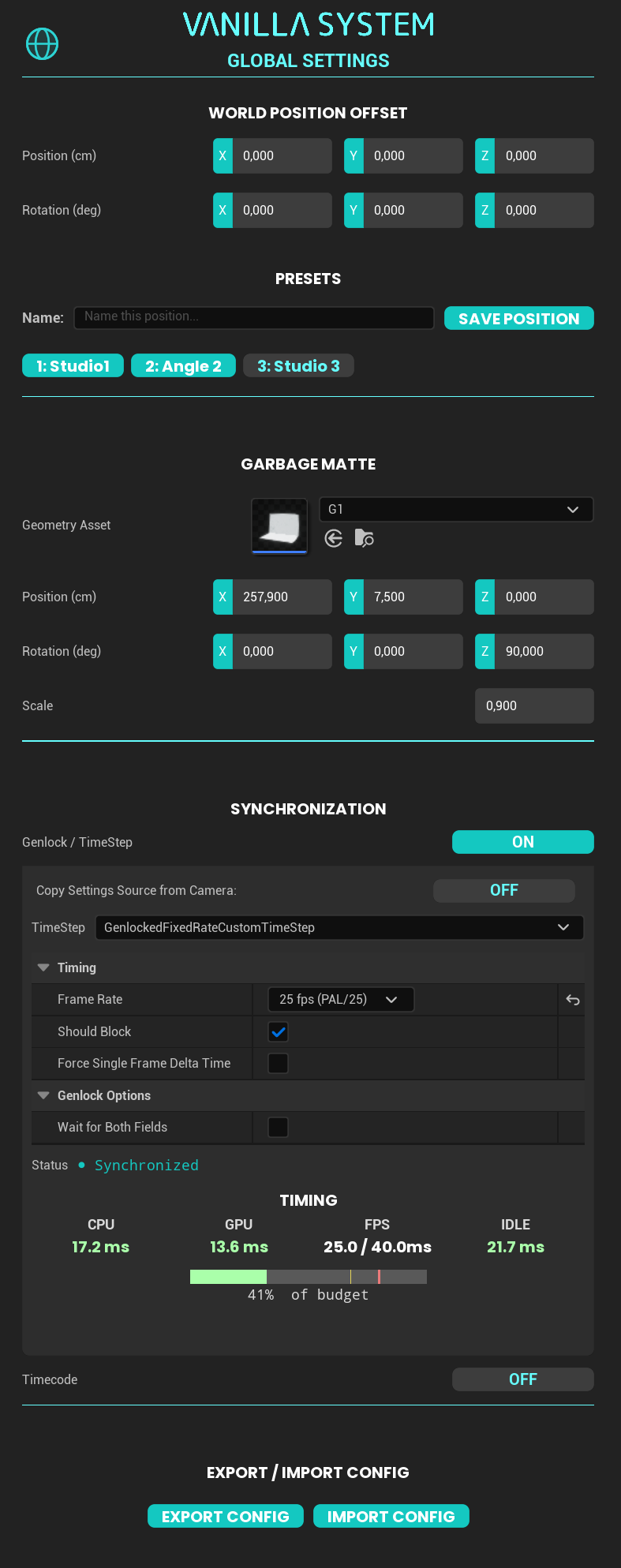
Save and recall world position presets to switch between different positions of your real studio positioned in the virtual world.
Set one global garbage matte or adjust its shape and position for individual cameras, and smooth its edges for a softer composition.
SET EXTENSION
SYNCHRONIZATION
Manage genlock and timecode directly inside Vanilla System and monitor their status in real time.
Export your complete Vanilla System configuration and reuse it in another project or on another computer, importing the entire setup or only the settings you need.
EXPORT/IMPORT
ANIMATION

ANIMATE YOUR OBJECT
Animate any Unreal actor between A and B with custom timing and linear or ease-in/out curves. Preview animations directly in the Unreal Editor, then trigger them live through Web Dashboard, Companion, API or OSC.
OUTPUT & CAPTURE
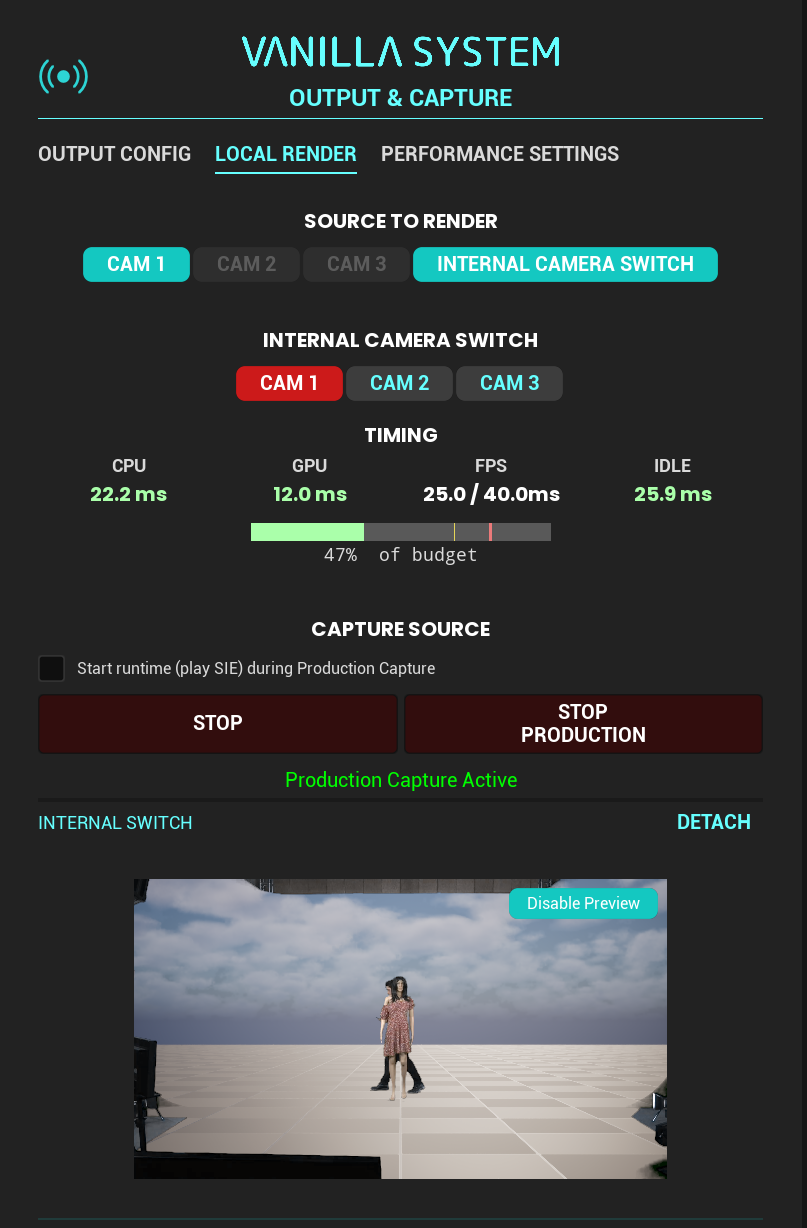
RENDER IN-REAL-TIME
Render isolated camera outputs and/or the internal camera switch (which works like a standard video switcher, letting you select the live camera) in real time on a single workstation or across a multi-machine configuration, working natively with DLSS throughout the entire pipeline to optimize performance.
EXTRA SOURCE MANAGER
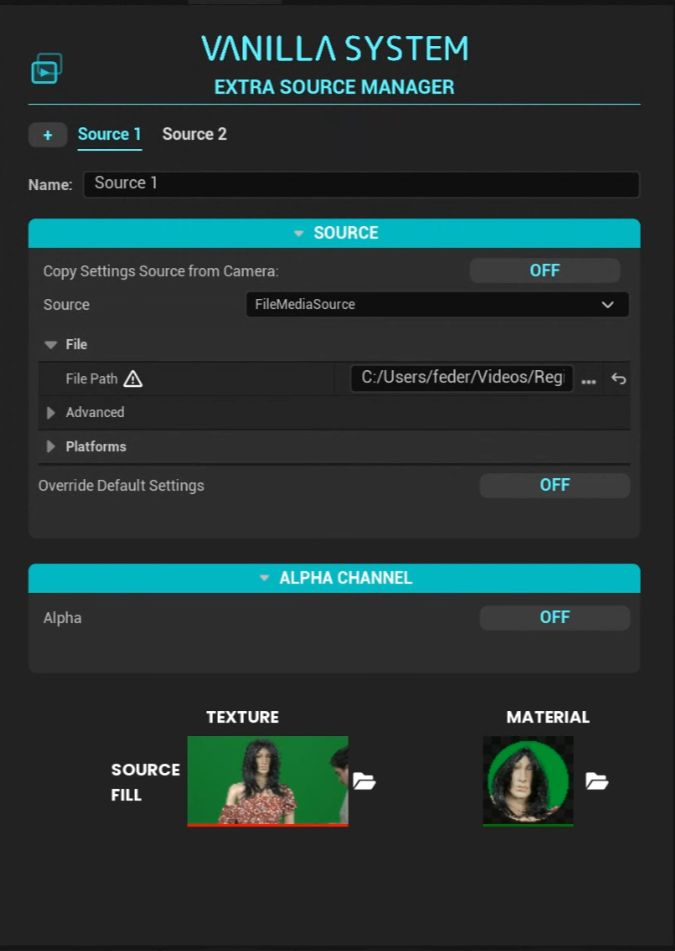
EXTRA FEED FOR YOUR WORLD
Bring SDI, NDI or video files into Unreal Engine as ready-to-use materials and drag them onto any surface in the 3D world. Choose lit or unlit, use alpha, or work with separate fill and key signals.
REMOTE CONTROL
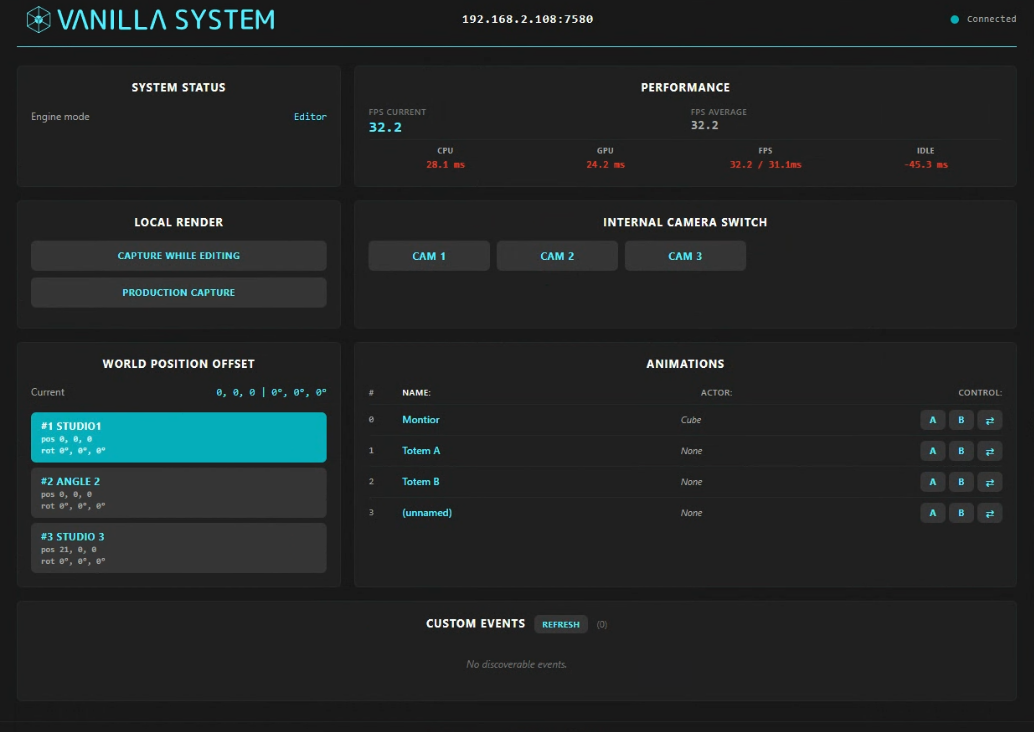
WEB DASHBOARD
Monitor FPS and performance, select the live camera, recall world position presets, trigger animations with live A/B feedback and access detected custom events from anywhere on your network.

API / COMPANION / OSC
Control Vanilla through API, OSC or Bitfocus Companion. Use ready-made Companion buttons with automatically updated names and live feedback, send commands to up to ten Vanilla computers and synchronize capture across multiple systems.